Class Projects
USB 1.1 Bulk Transfer SoC (RX Module)
In ECE337, ASIC Design Lab, I designed the receiver module of a USB Peripheral SoC for a group design lab. The project consisted of studying the USB protocol and module specification, drawing RTL diagrams, creating testbenches and modules in SystemVerilog, then extensively debugging until the module achieved desired behavior.
(Unfortunately I’m not allowed to share the repo for this project due to an NDA)
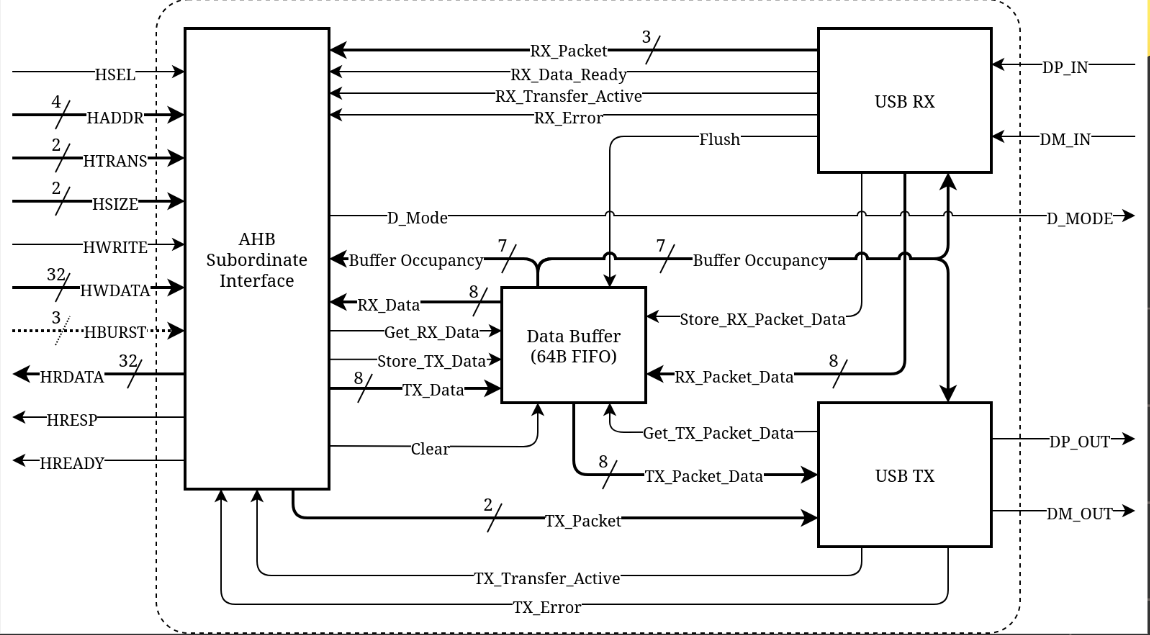
The top level diagram of the USB peripheral. This was given along with the required specification.
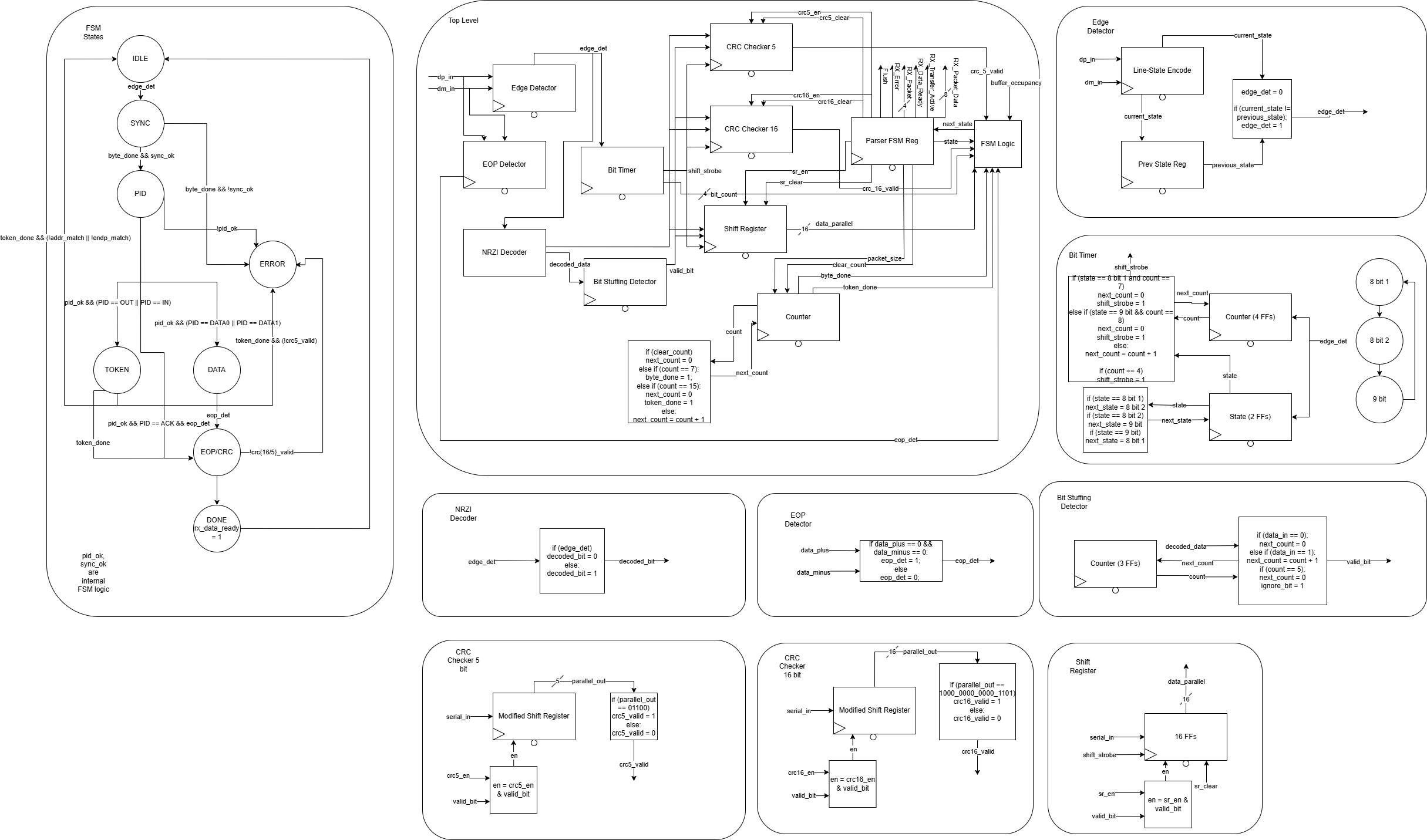
The full RTL and FSM diagrams of the top level and sub modules for the RX. This diagram went through many iterations.
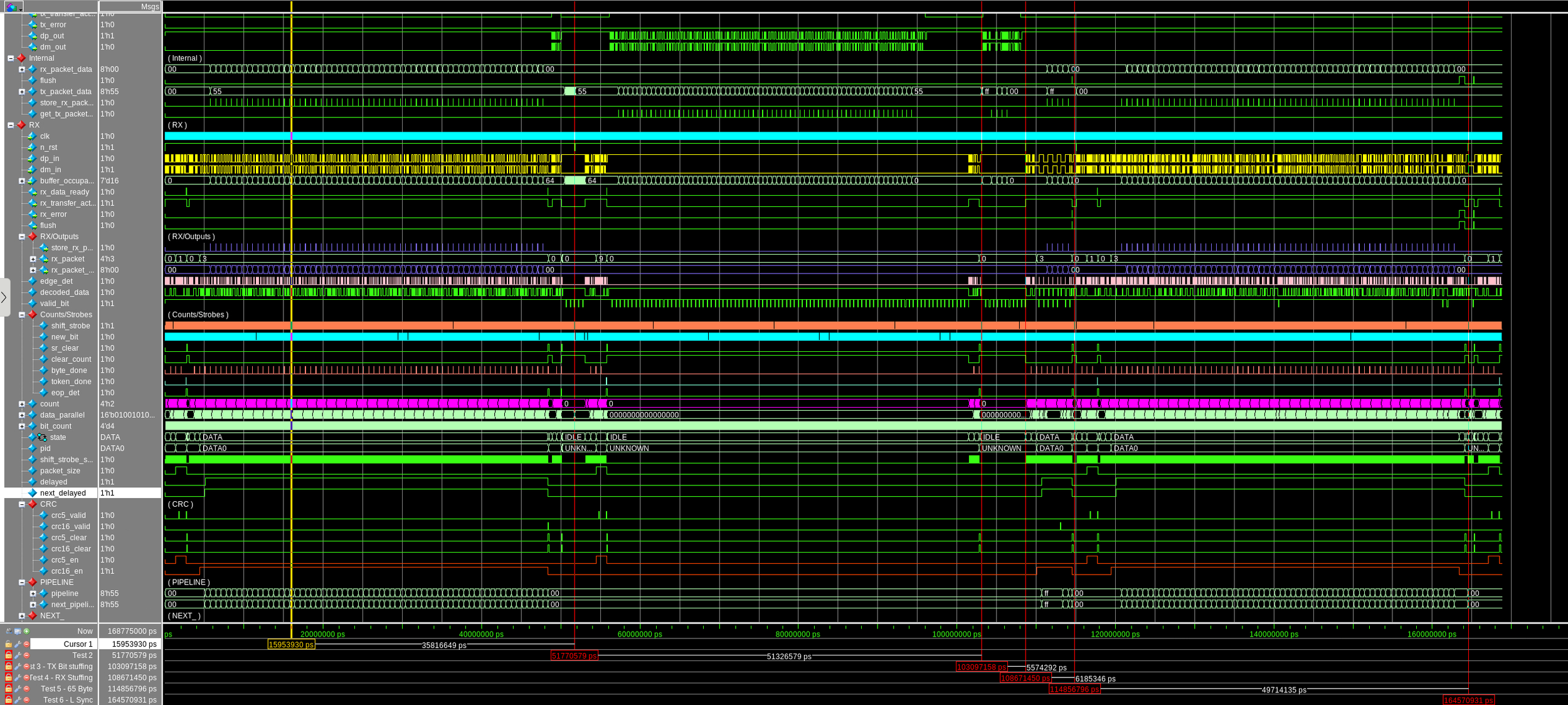
Zoomed out waveforms for the full USB top level simulation. We did not have a teammate for the AHB subordinate interface, so we simulated it in our testbench.
Preview displaying different tests and signals in the waveforms, including FSM state transitions, 64 byte complete transfer, 65 byte error transfer, bit stuffing removal, and CRC checking.
Embedded Snake Arcade Game: https://github.com/oonwuta/ECE36200-Group-Project.git
For ECE 362, Microprocessor Design, my course project was a snake arcade game, using the RP2350. For this project, I designed a 4 layer PCB housing the RP2350 and programmed a substantial portion of the game.
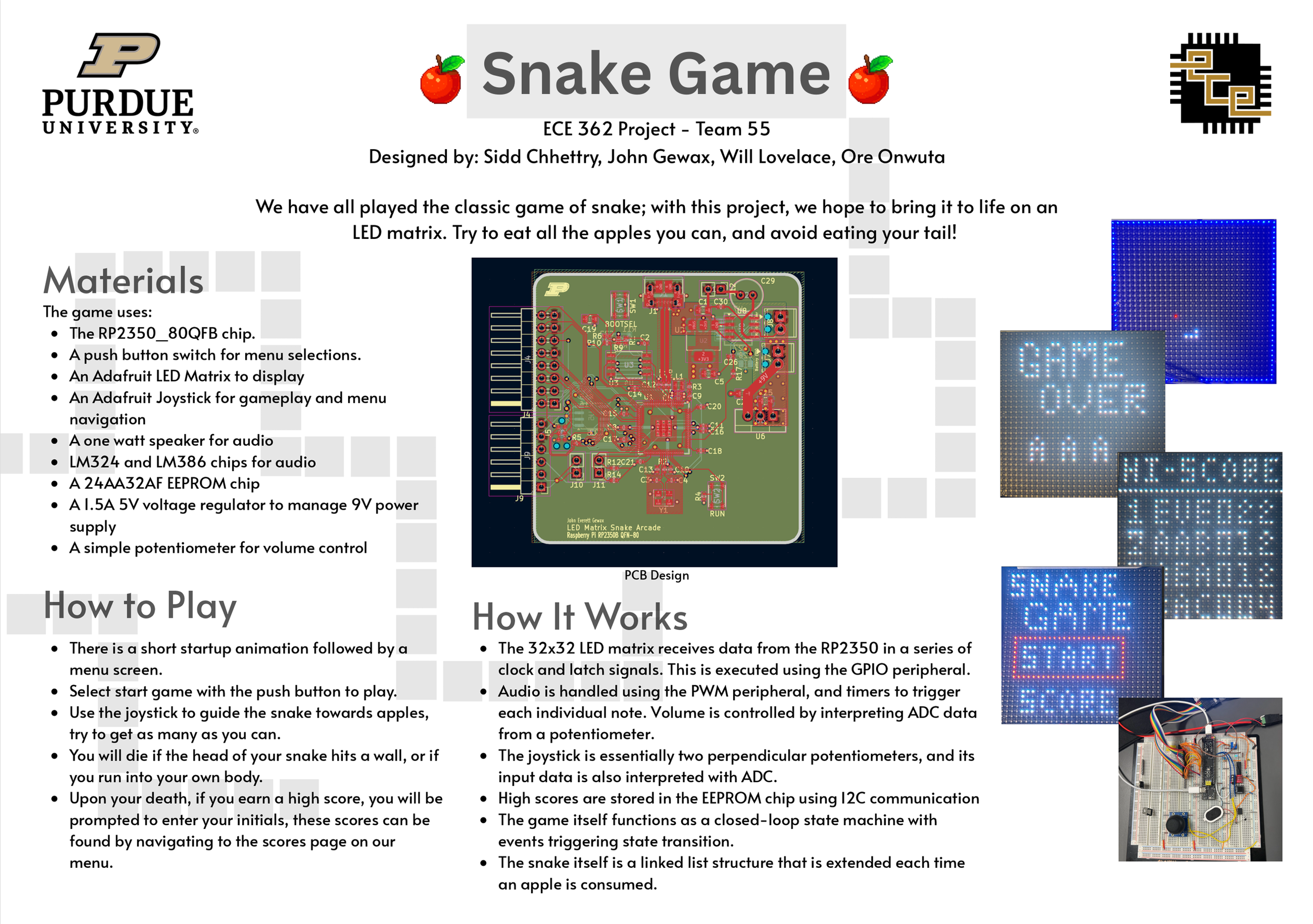
A demonstration on breadboard
The PCB Design
This was the first project where I really learned how to design a PCB complicated enough to require 4 layers. After doing this project, my interests have shifted more towards embedded systems more than SWE.
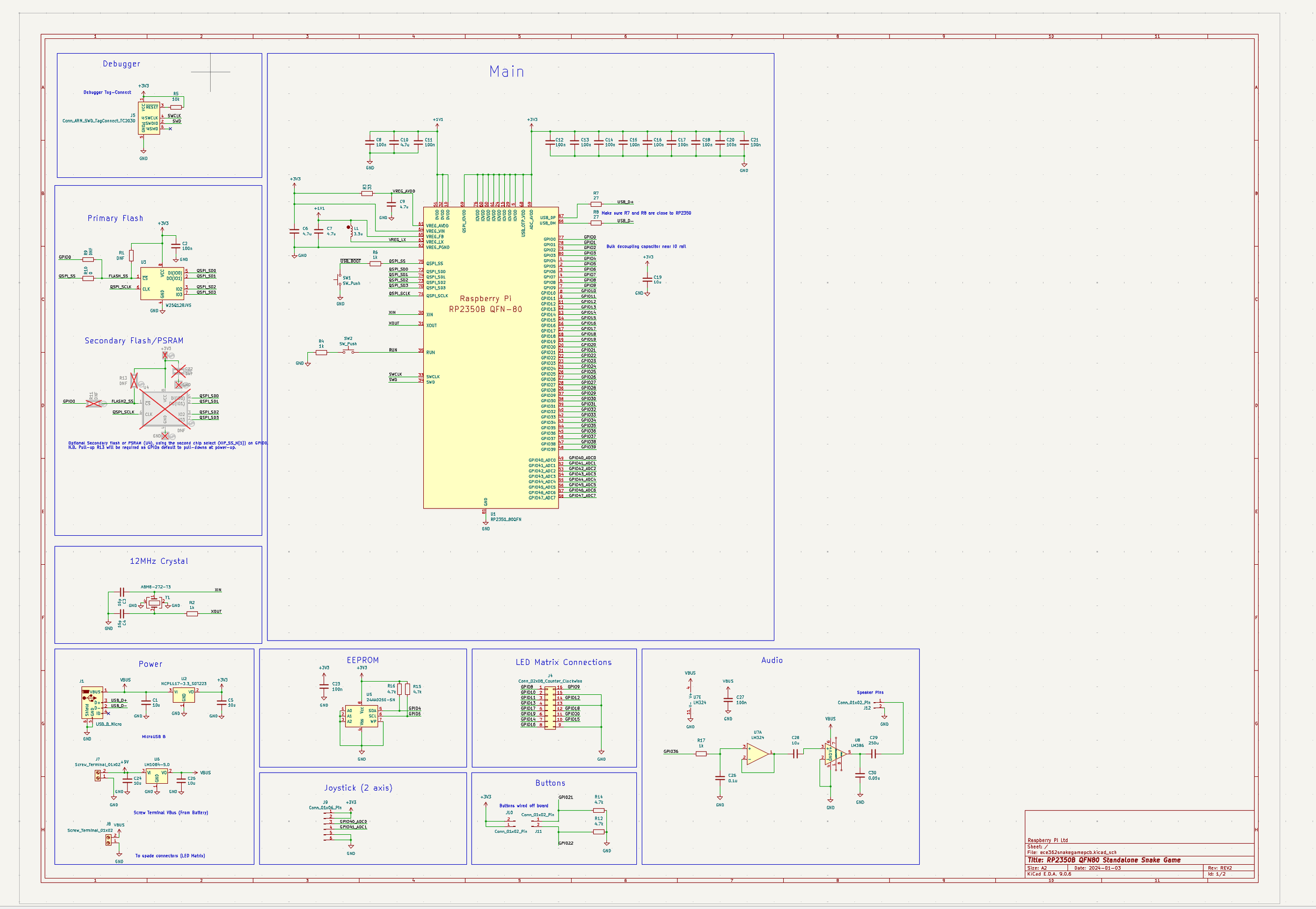
The schematic in KiCad
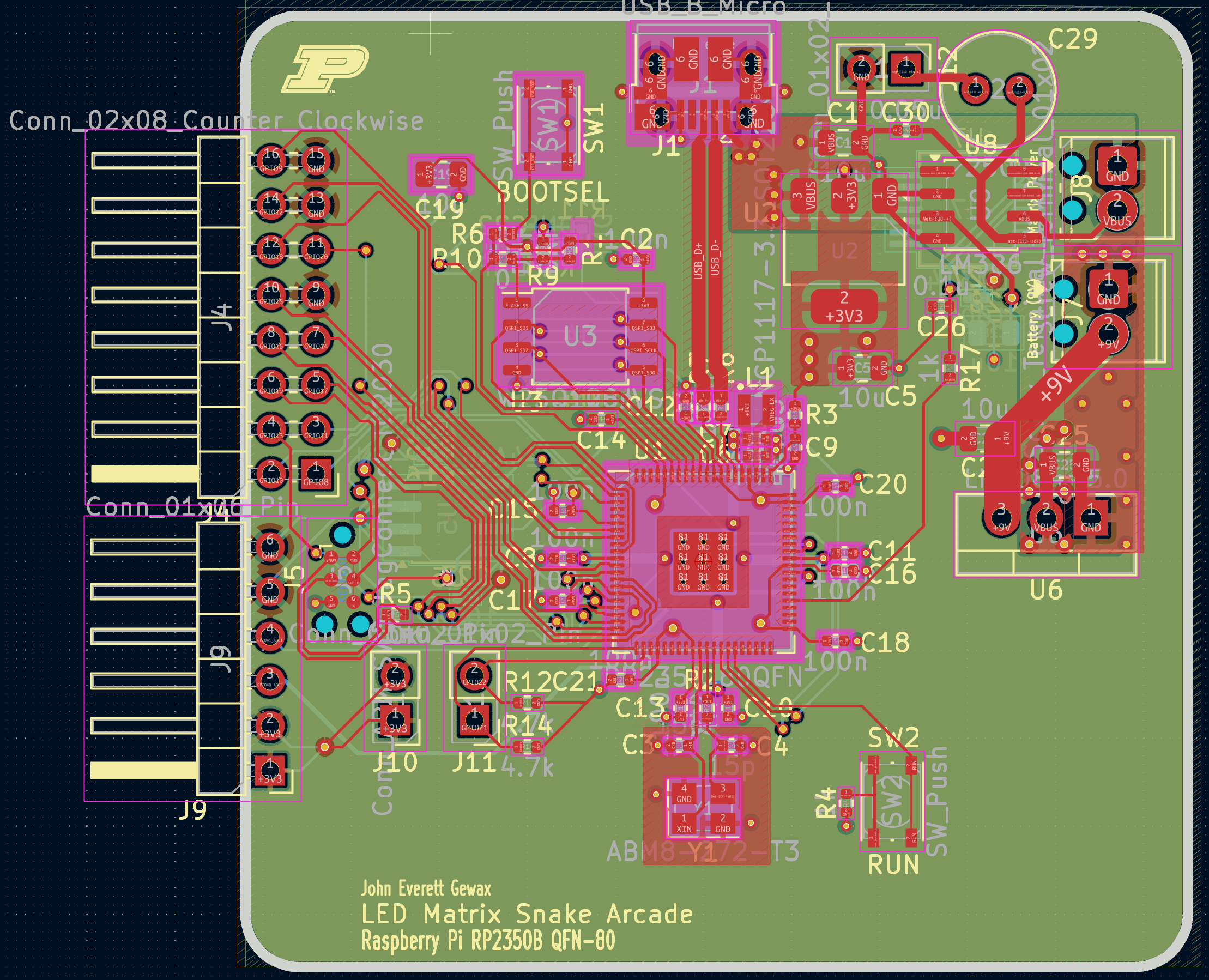
The PCB in KiCad
Trustworthy LLM Registry: https://github.com/ECE30861-Team-18/ECE461_Team18_Phase2.git
In ECE 30861, my team of 3 designed a trustworthy LLM registry that uses HuggingFace and Git to ingest, store, and download LLMs for hypothetical product integration. We used several services, such as AWS Lambda, API Gateway, Aurora RDS, Cloudwatch, Amplify, and S3. This project was uniform for all students in the class and used an OpenAPI spec, Our team scored 1st place of 50 teams in the project autograder.
Planning
We were given an OpenAPI spec which we needed to build our system around. Given our timeframe, our team took a mostly waterfall approach, with some iteration back to requirements planning. We used UML diagrams to describe the system.
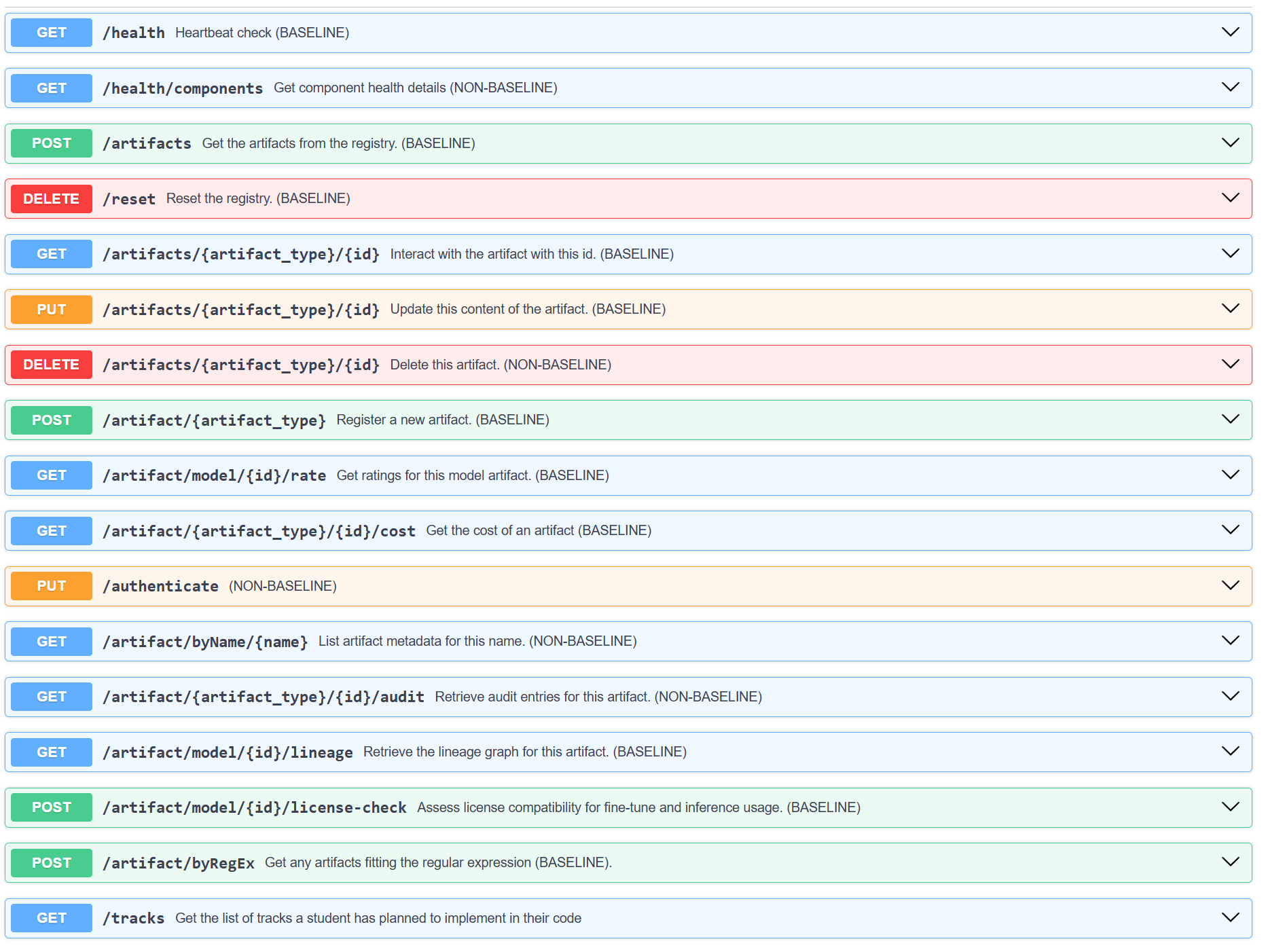
The API routes defined by the OpenAPI Spec
Workflow
We used several organizational and production tools for an efficient workflow. Firstly, GitHub Projects to communicate current tasks and progress to each other. For the production workflow, we used GitHub actions with AWS SAM, to build the entire app across our AWS services upon each push to our repository.
We built a frontend using a react app, and in the end, we had a functional website (Purdue themed of course) and backend, running on AWS, which could be used for securely uploading LLMs from HuggingFace, and rating them using several metrics.
LLM Usage
We used a lot of LLM resources ourselves during the building of this app, for design and tooling suggestions, and writing code. That is what allowed us to build such a large project during this one semester class, considering we were using so many new tools and processes we had not used before.
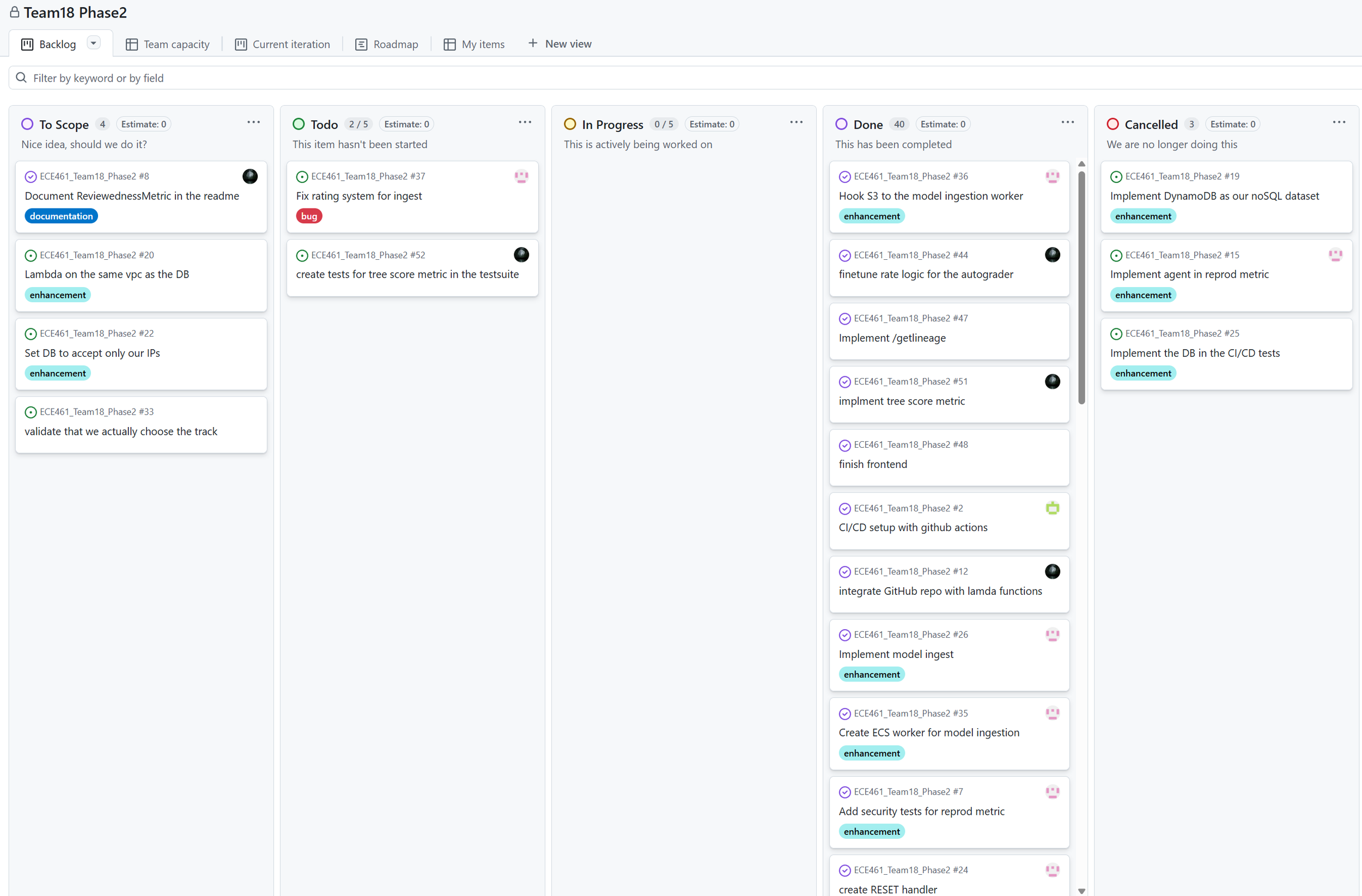
GitHub Projects
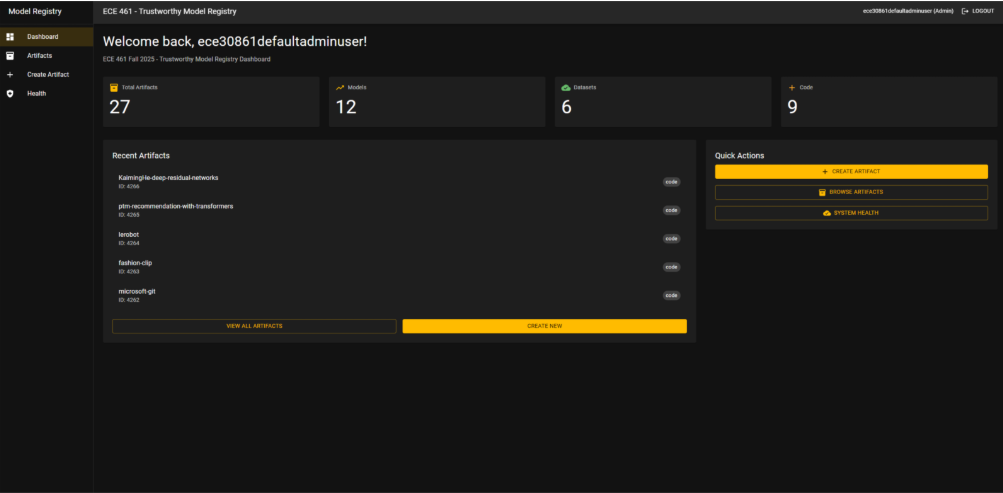
Dashboard Page. You can see all ingested artifacts (model, code, dataset) and can search by name or RegEx
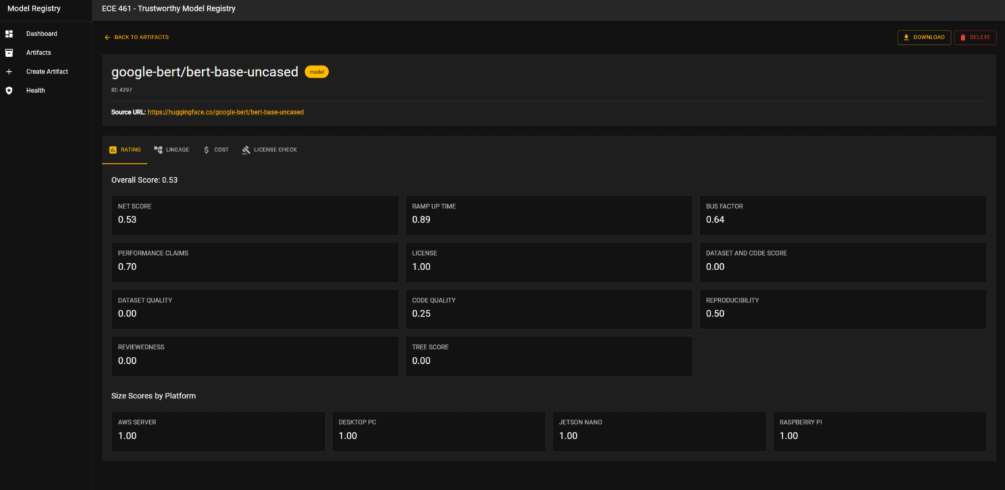
Artifact Description Page where you can see all the metric ratings, lineage graph, and license information about an ingested model
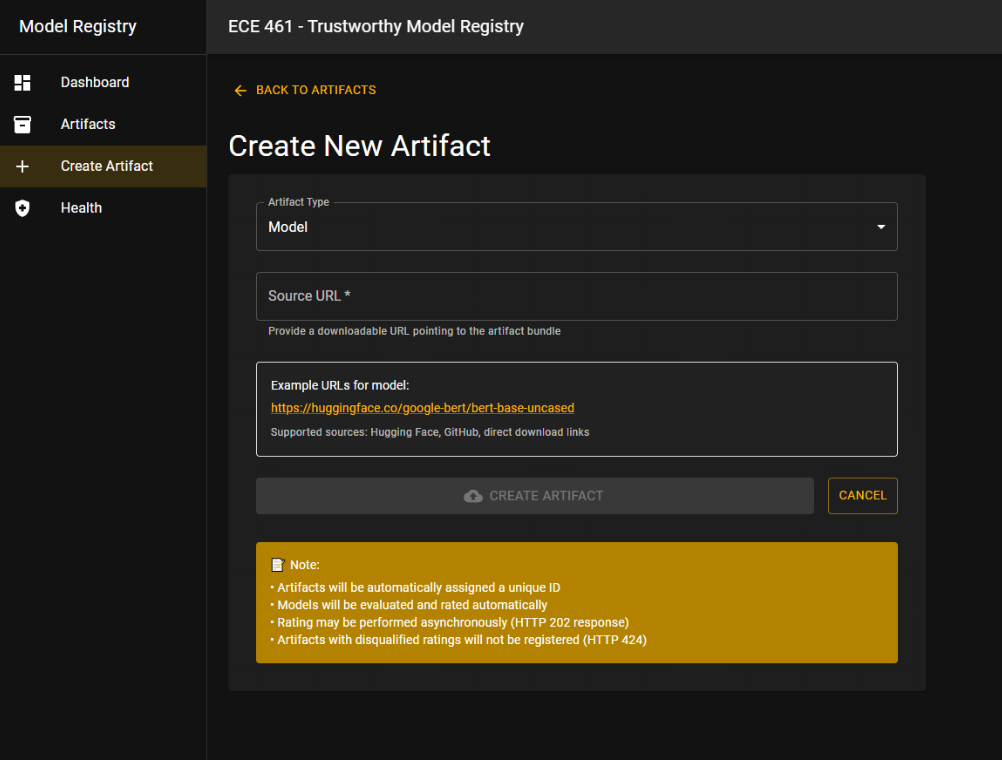
Create Artifact Page
Product
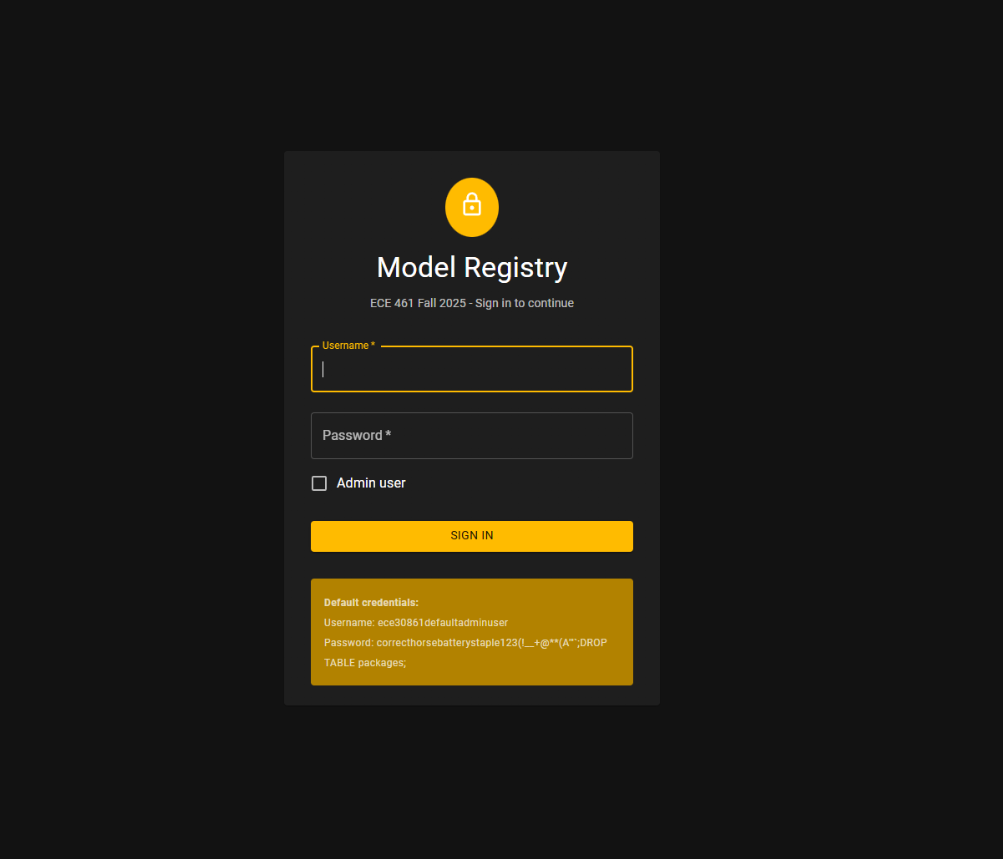
Login Page

I tested our frontend using Google lighthouse and WAVE to make sure it complied with ADA (Login Page score shown)
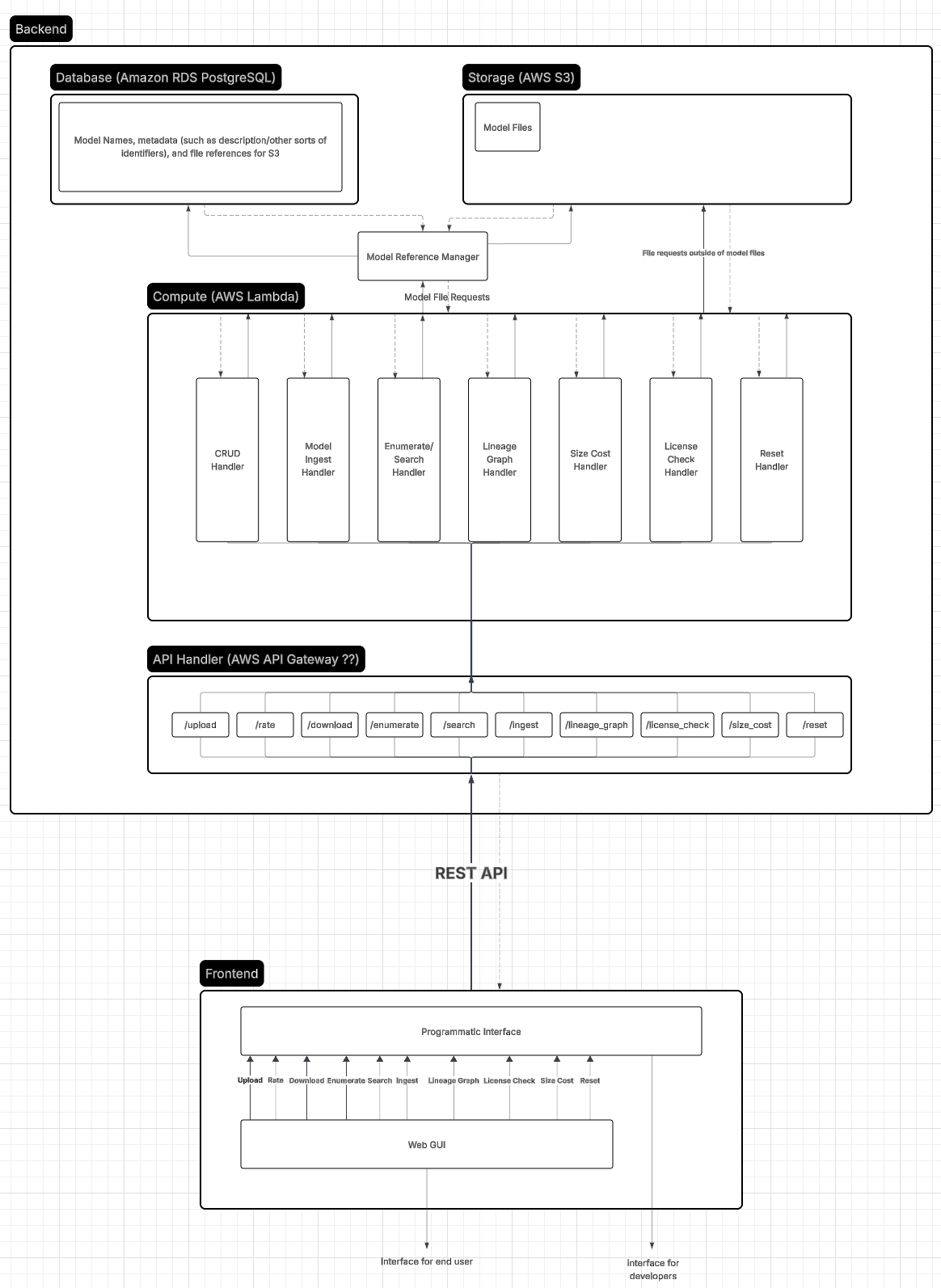
A diagram of the overall system
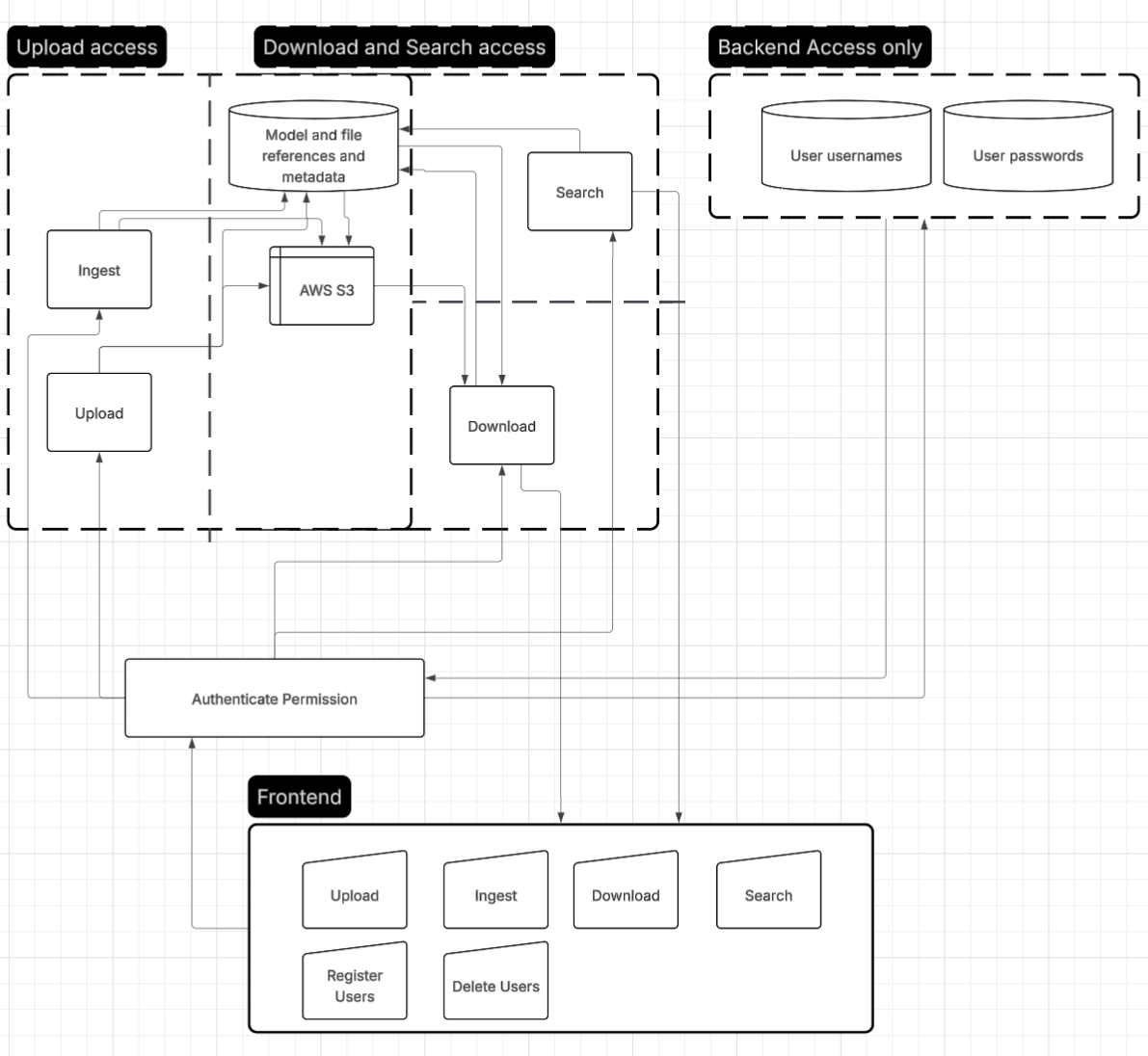
A diagram for analyzing trust boundaries
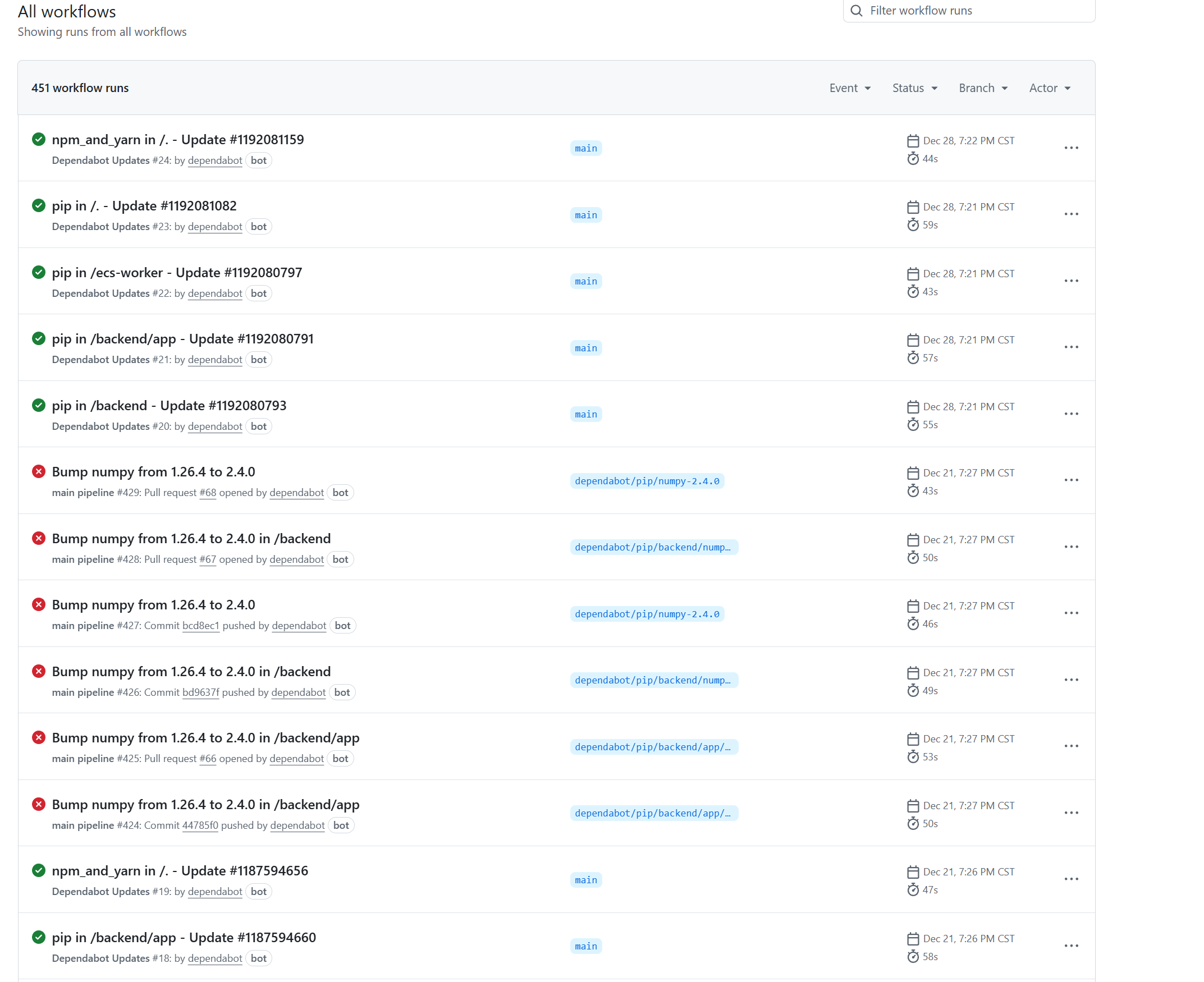
GitHub Actions For CI/CD
OpenGL Based Procedural Terrain Generator and Real Time Viewer: https://github.com/jcrm1/cs334-game
For CS334, Fundamental of Computer Graphics, my team and I decided to focus our course project on getting a basic understanding of OpenGL by using the GLFW in C++ to build a simple terrain generator and viewer. I wanted to do this specific project because of my experience with procedural terrain generation in game design.
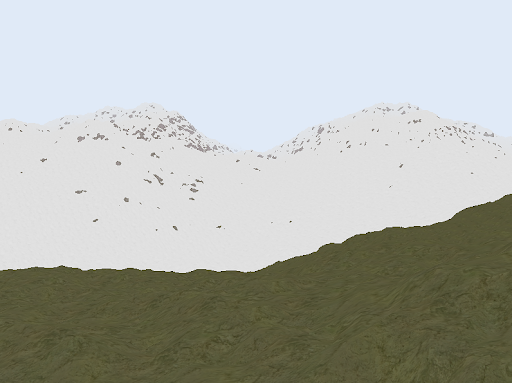
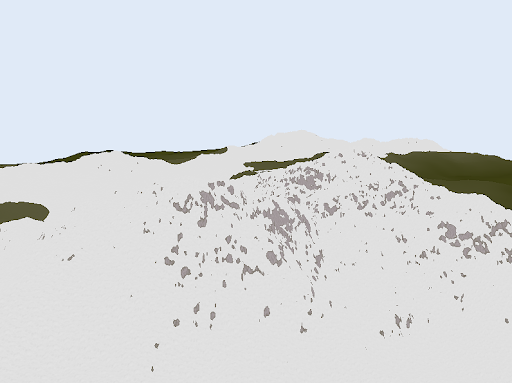
Some pictures and video of the terrain viewer